
Enroll a Warren County Property Tax Account in AutoPay on myWarrenCountyOhio

To set up AutoPay for your Warren County Property Tax bills, you must first have a myWarrenCountyOhio profile (see Create a Profile on myWarrenCountyOhio). After signing in and connecting to your account (see Add a Property on myWarrenCountyOhio), follow the steps below to enroll your Property Tax account in AutoPay:
- Select Enroll in AutoPay
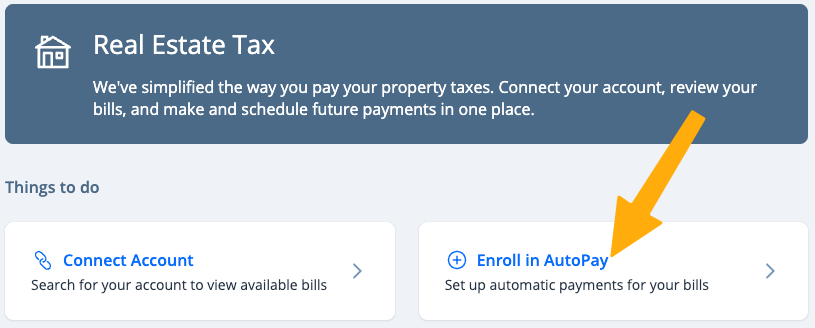
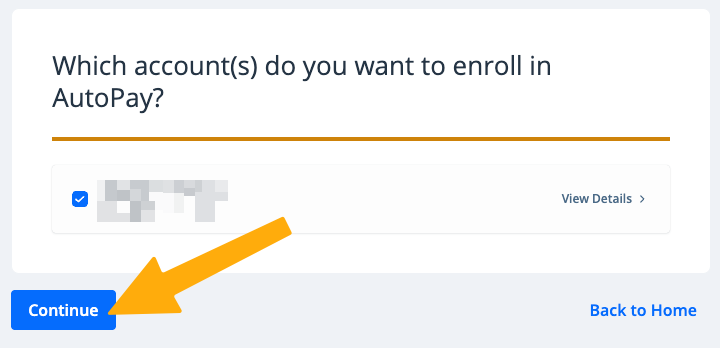
- Choose the account(s) you wish to enroll, then click Continue
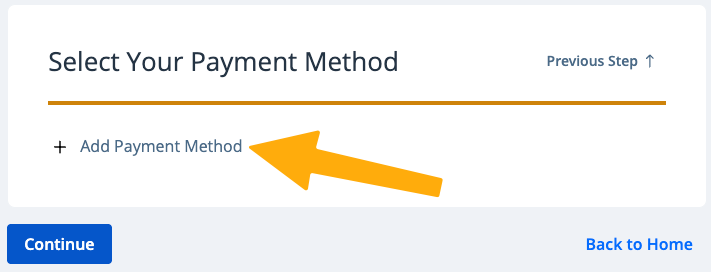
- Click Add Payment Method to add a new payment method for your AutoPay, or choose an existing payment method already saved in your profile.
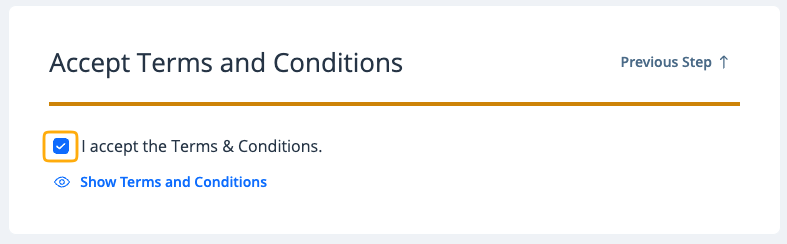
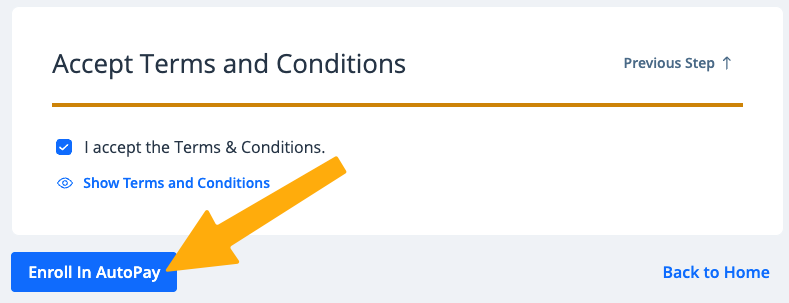
- Review and accept the Terms and Conditions
- Click Enroll in AutoPay
You are now enrolled in AutoPay. You will receive an enrollment confirmation and email notifications when a payment is processed.
To unenroll from AutoPay, see Unenroll a Warren County Property Tax Account from AutoPay on myWarrenCountyOhio.